
Amplify AppSync APIs for unauthenticated users
Pre-requisites -
Amplify project already set up with AppSync API. You can do this by running $ amplify add api in your shell.
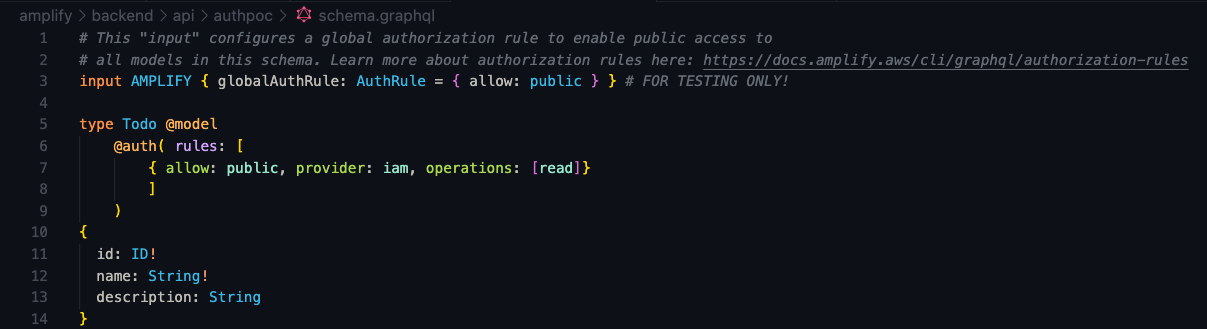
Here’s my graphql schema for a basic Todo app. You can generate this by selecting the basic todo application option in the amplify command interface.
Adding Authentication to your Project
Run the below command in your project directory’s root and follow the instructions for the Auth flow. make sure to choose “yes” for “Allow unauthenticated logins?”
1
$ amplify add auth
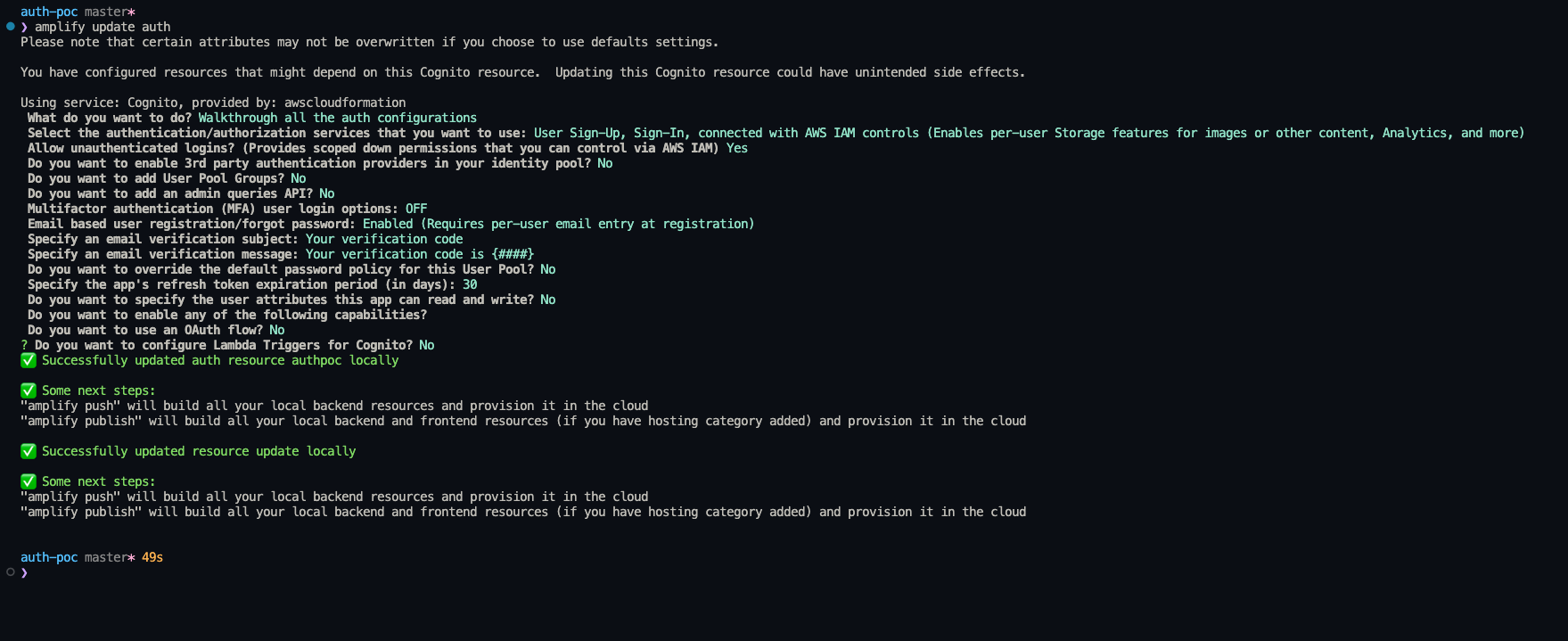
amplify add auth flow
Now, this should create a cognito user and identity pool for your project.
Modifying unauth role in IAM
- Navigate to the specific IAM unauth roles in the AWS IAM console.
- Edit the role to add a read only policy like below
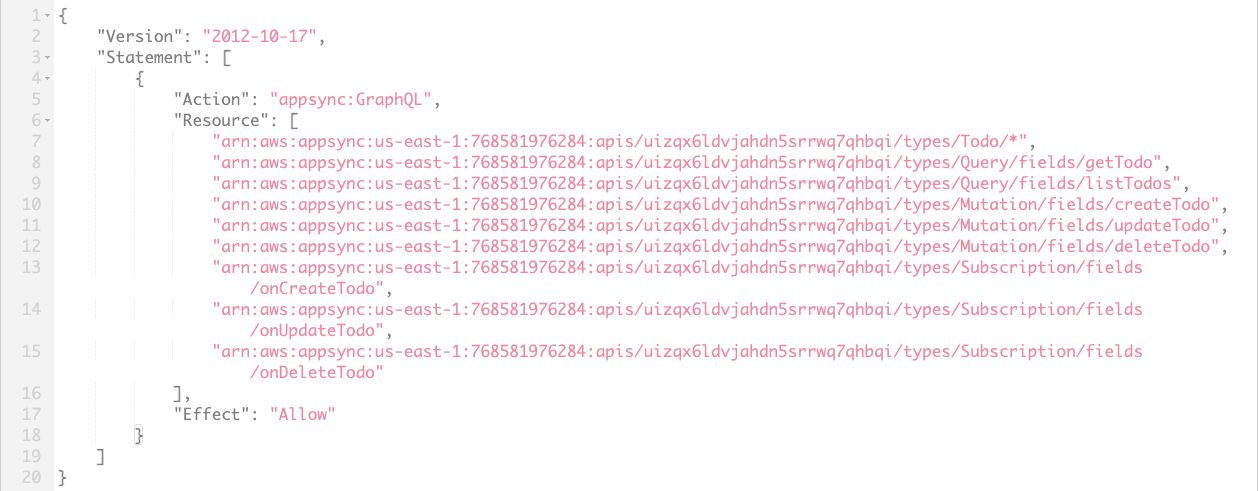 unauth role policy in IAM console.
Modifying your graphQL schema
In your project directory, navigate to the graphql schema (”/yourProjectDirectory/Amplify/backend/schema.graphql”)
add the @aws-iam directive to the table for which you want to restrict read only access for unauthenticated users.
 GraphQL Schema
Modifying aws-exports.js file
In your aws-exports.js file, make sure to change the “aws_appsync_authenticationType” key to have the value “AWS_IAM”
1
2
3
4
5
6
7
8
9
10
11
12
13
14
15
16
17
18
19
20
21
22
23
24
25
26
27
28
const awsmobile = {
    "aws_project_region": "us-east-1",
    "aws_cognito_identity_pool_id": "removed_for_privacy",
    "aws_cognito_region": "us-east-1",
    "aws_user_pools_id": "removed_for_privacy",
    "aws_user_pools_web_client_id": "removed_for_privacy",
    "oauth": {},
    "aws_cognito_username_attributes": [],
    "aws_cognito_social_providers": [],
    "aws_cognito_signup_attributes": [
        "EMAIL"
    ],
    "aws_cognito_mfa_configuration": "OFF",
    "aws_cognito_mfa_types": [
        "SMS"
    ],
    "aws_cognito_password_protection_settings": {
        "passwordPolicyMinLength": 8,
        "passwordPolicyCharacters": []
    },
    "aws_cognito_verification_mechanisms": [
        "EMAIL"
    ],
    "aws_appsync_graphqlEndpoint": "https://removed_for_privacy.appsync-api.us-east-1.amazonaws.com/graphql",
    "aws_appsync_region": "us-east-1",
    "aws_appsync_authenticationType": "AWS_IAM",
    "aws_appsync_apiKey": "removed_for_privacy"
};
That’s it! I hope…